Household Wizard › Import guide
Import your data into Household Wizard
Household Wizard reads CSV files exported from Quicken, QuickBooks Online, YNAB, Mint (old exports), Monarch Money and Copilot Money, or any CSV with a date and an amount. You see a preview before anything is saved.
The steps
- Export your transactions from the other app (see the table for each one).
- In Household Wizard on Mac choose Finances › Import CSV…. On iPad, open More › Import CSV…. You can also start from the welcome screen on a new install.
- Choose your file, then pick the app it came from under Import From. If you're not sure, choose Generic / Other.
- Choose the scope. One Account imports into an account you pick. Multiple Accounts uses an Account column in the file and creates any accounts that don't exist yet.
- Check the preview. It shows how dates, payees, categories and amounts were read, and how many rows couldn't be parsed. Adjust anything that looks wrong under Adjust Detected Settings.
- Click Import.
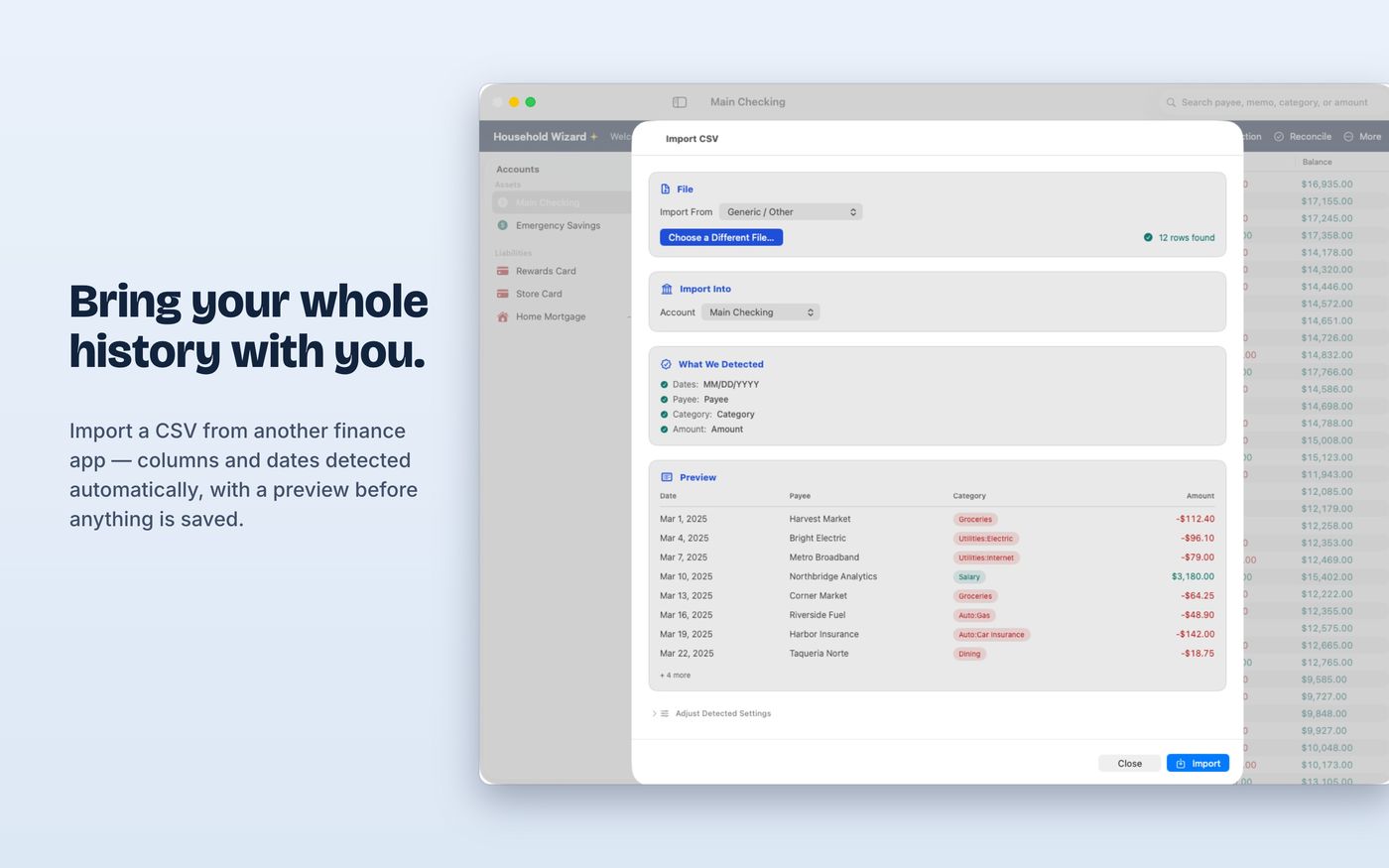
What to choose for each app
| Coming from | Import From | Good to know | How to export |
|---|---|---|---|
| Quicken | Quicken | Signed Amount column. Categories like Parent:Child become subcategories. | Quicken for Mac, Quicken for Windows (export to a spreadsheet, then save as CSV) |
| QuickBooks Online | QuickBooks Online | Parent:Child categories become subcategories. QuickBooks calls categories "accounts", so check the preview to be sure categories aren't read as bank accounts. | QuickBooks export help |
| YNAB | YNAB | Outflow and Inflow columns are combined into one signed amount. "Category Group/Category" becomes a category with a subcategory. | YNAB export help |
| Mint (old file) | Mint (old export file) | Mint shut down in March 2024, but an exported Transactions.csv still imports. Amounts are positive with a Transaction Type column. | A file you saved before the shutdown |
| Monarch Money | Monarch Money | One signed Amount column. The payee column is called Merchant. | Monarch export help |
| Copilot Money | Copilot Money | The payee column is called Name. | Copilot export help |
| Anything else | Generic / Other | Needs a date and an amount. Household Wizard detects the date format and handles single Amount columns or separate Debit and Credit columns. | Your bank's CSV download |
After you import
- Check each account's balance against your old app. If a CSV starts mid-history, add an opening-balance transaction dated before the first imported row, or create the account first with its opening balance and import into it.
- Transfers arrive as separate transactions, not linked pairs.
- Memo columns aren't imported. Dates, payees, categories and amounts are.
- Import Backup is different. It restores a Household Wizard backup file, and only on an empty ledger. Use Import CSV for data from other apps.
Try it with sample files
Want to see how it works first? These files contain fictional data: multi-account CSV, single-account CSV, sample backup, or all three in one zip.