Household Wizard
Household Wizard
A full household ledger for Mac and iPad, with a lighter iPhone companion. Track accounts, budgets, debt and net worth in your own iCloud, and share it with a partner. One purchase, no subscription.
One-time purchase, currently $14.99 in the US. Works with Mac, iPad and iPhone.
Honest note: Household Wizard has no bank connection. You enter transactions or import CSV files. If you want transactions to download from your bank automatically, another app will suit you better.
Is it right for you?
A good fit if you…
- would rather buy an app once than subscribe
- want your data in your own iCloud, with no third-party servers
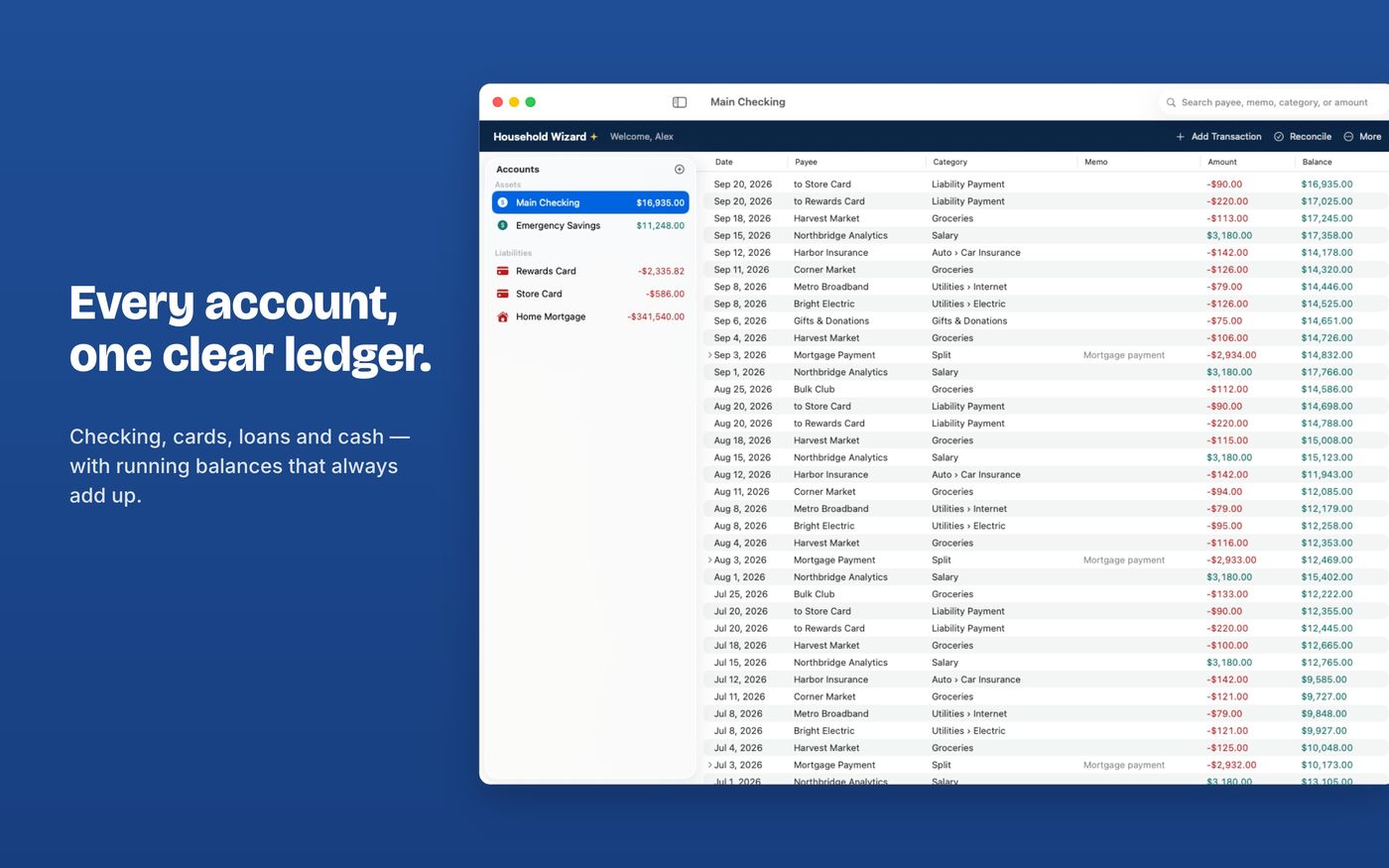
- want a real ledger: splits, transfers, mortgage payments, reconciliation
- manage money with a partner
- are moving from Quicken, YNAB, Mint, Monarch or Copilot
Not the best fit if you…
- need automatic bank downloads
- need detailed investment portfolio tracking
- use Windows or Android
What's inside
- Accounts for assets, liabilities (credit cards, loans) and mortgages
- A full ledger with split transactions, transfers, liability payments and mortgage payments (principal, interest and escrow)
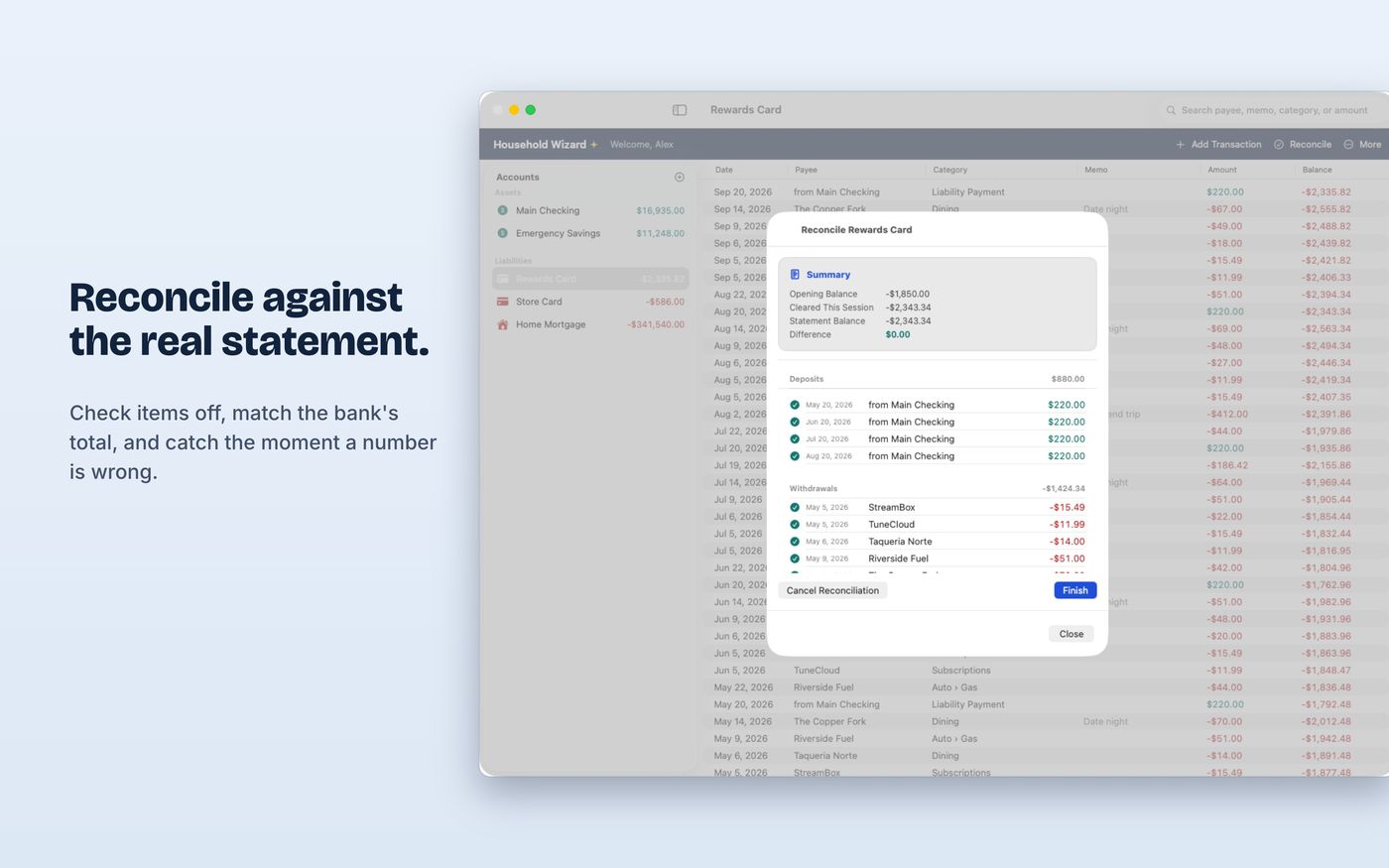
- Statement reconciliation to match your balance to the bank's
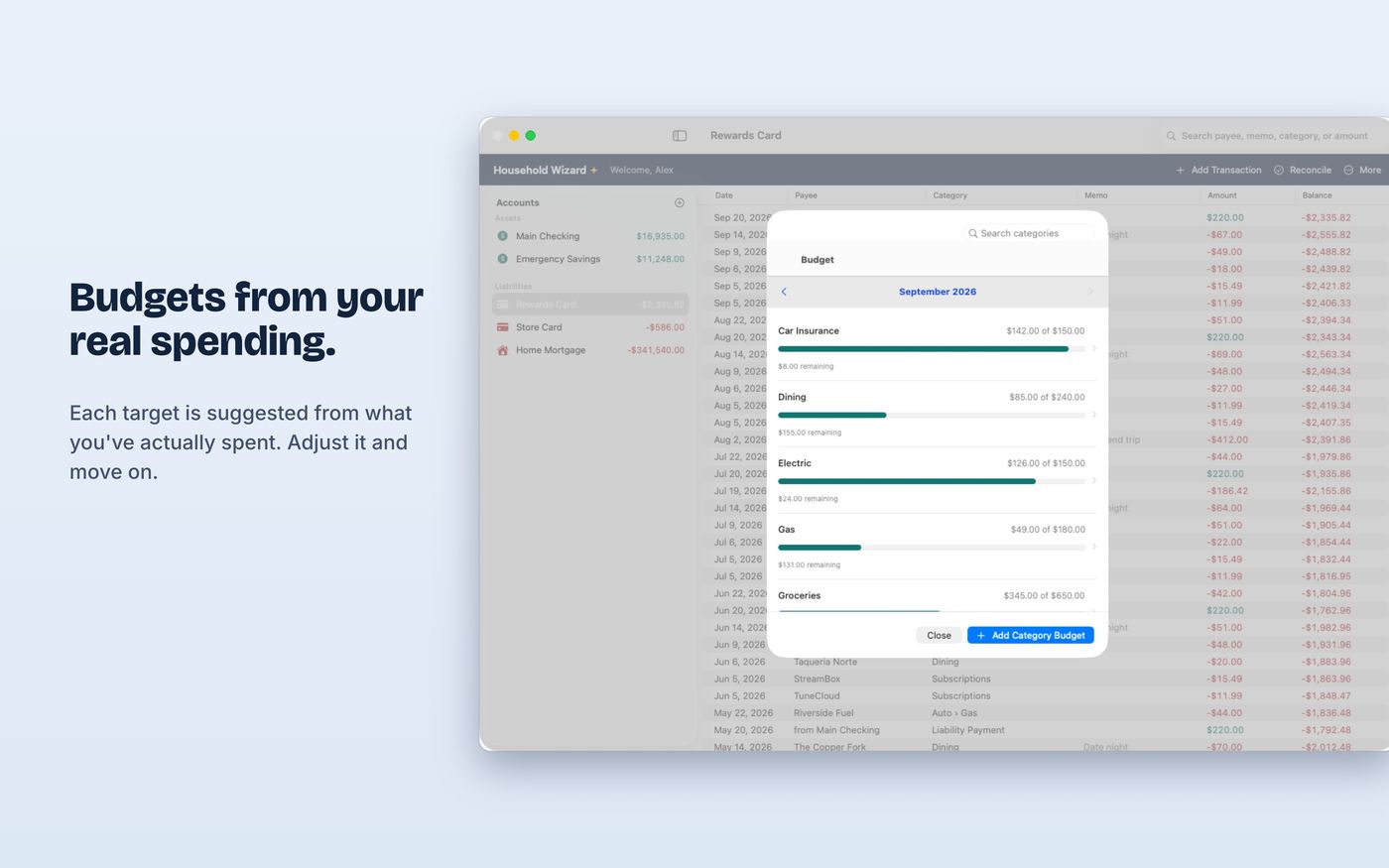
- Budgets and debt payoff planning
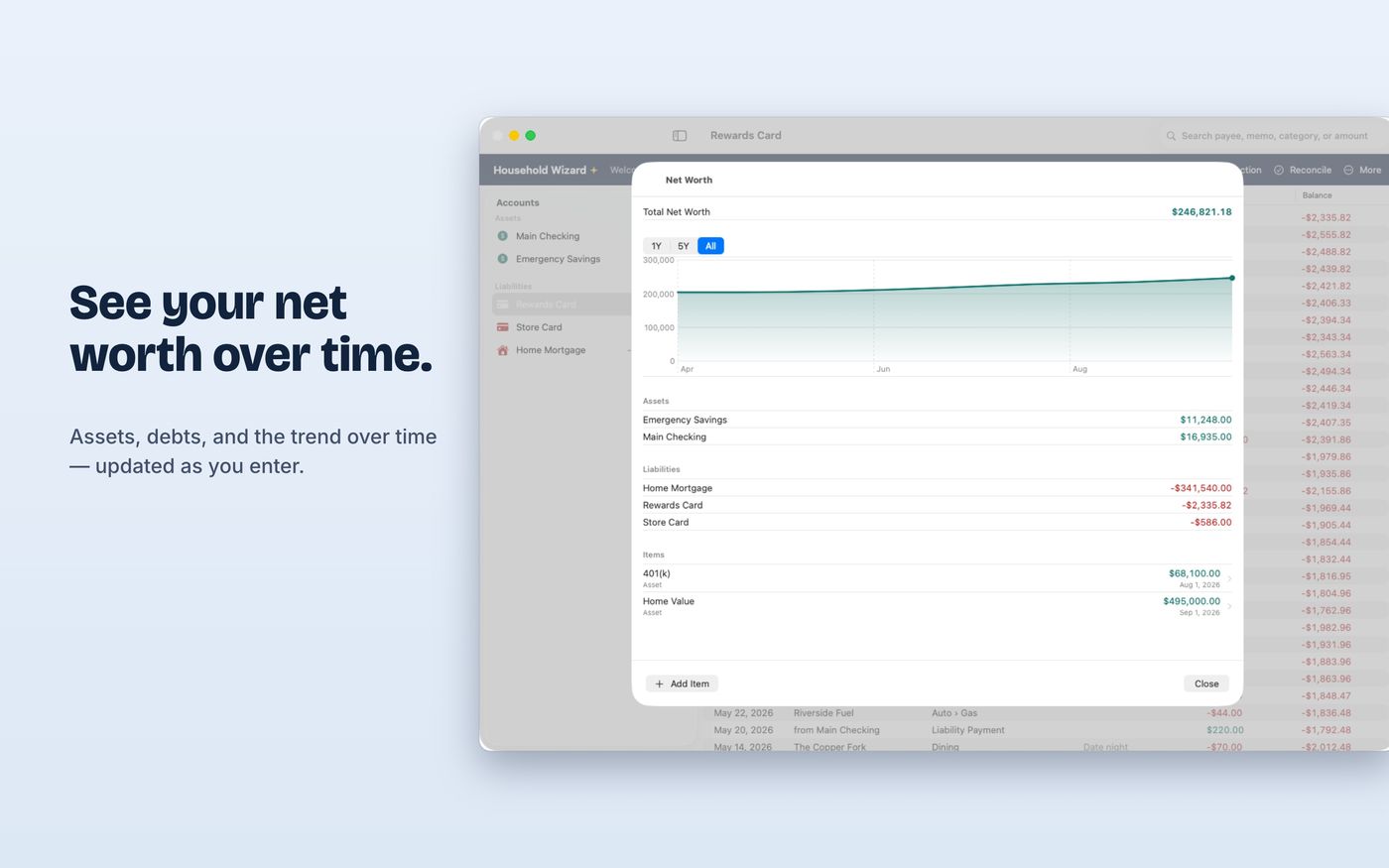
- Net worth tracking and reports
- Scheduled and recurring transactions
- Categories with subcategories, and payees with autocomplete
- CSV import and export, and a backup file you can save anywhere
- App Lock with Face ID, Touch ID or your passcode
See it in action
Private by design
There is no account to create and no server of ours. Your data lives in your own iCloud account and on your devices. There are no ads and no analytics, and the App Store privacy label reads Data Not Collected.
Share with a partner
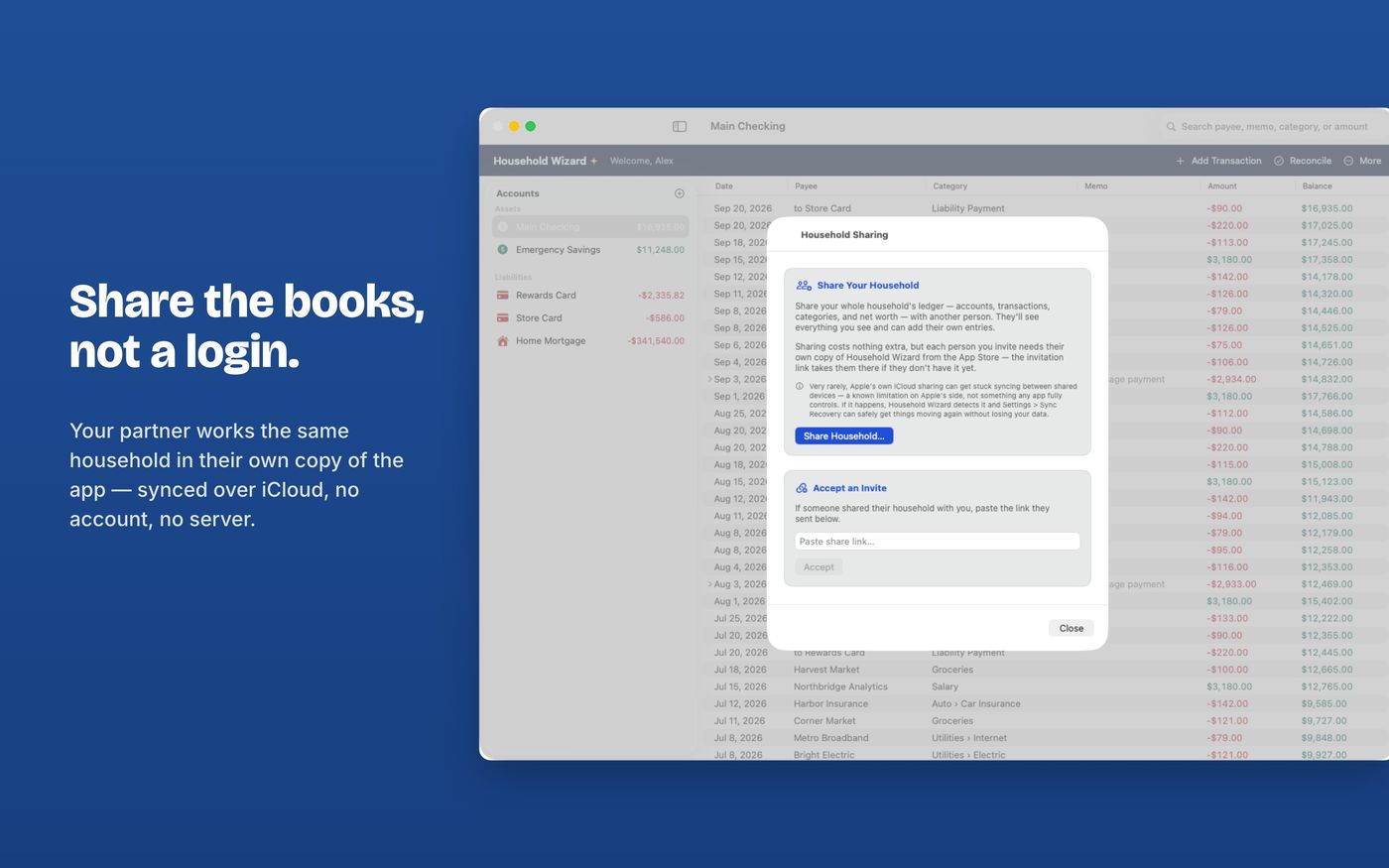
Invite a partner or family member and you both work from the same ledger, synced through Apple's iCloud sharing. Each person installs their own copy of the app, and the purchase can be shared through Apple Family Sharing for up to six family members.
One purchase, three devices
| Device | What you get |
|---|---|
| Mac (macOS 15.6 or later) | The full app |
| iPad (iPadOS 26.5 or later) | The full app |
| iPhone (iOS 26.5 or later) | Companion: balances, quick transaction entry, splits, CSV export |
Switching from another app
Household Wizard reads CSV exports and shows you a preview before saving anything. Read the import guide, or the pages for people leaving Quicken, YNAB or Mint.
Questions
Does Household Wizard connect to my bank?
No. There is no bank connection. You add transactions yourself or import CSV files exported from your bank or from another finance app. That is also why there are no third-party servers involved.
Is there a subscription?
No. Household Wizard is a one-time purchase (currently $14.99 in the US). There are no in-app purchases, ads or subscriptions.
Where is my data stored?
In your own iCloud account, in Apple's private CloudKit database, and on your devices. Blue Crest Creative has no server and cannot see your data. The App Store privacy label is Data Not Collected.
Which devices does it run on?
Mac (macOS 15.6 or later) and iPad (iPadOS 26.5 or later) get the full app. The iPhone app (iOS 26.5 or later) is a lighter companion for checking balances and adding transactions. One purchase covers all of them.
Can I share it with my partner?
Yes. You can invite a partner or family member to share the ledger through Apple's CloudKit sharing. Each person needs their own copy of the app. The purchase itself can be shared through Apple Family Sharing for up to six family members.
Can I move my data from another app?
Yes. Household Wizard imports CSV files from Quicken, QuickBooks Online, YNAB, Mint (old exports), Monarch Money, Copilot Money, or any CSV with a date and amount. You see a preview before anything is saved.
Does it work on Windows or Android?
No. Household Wizard is for Apple devices only: Mac, iPad and iPhone.